A model is any single object you place on the map: a rock, a cabin, a fence, a wreck. This page covers placing them by hand, the physics types that decide how they behave when a truck hits them, rock and cliff work, and bringing in models of your own.
For scattering thousands of plants or stones at once, use a distribution instead. See Vegetation and distributions.
How much of this is tested
Placing, physics types and the Freeze Physics option are from Saber’s guides. The rock and cliff rules, the subgroup traps and the custom model recipe come from work on real maps and are measured. A custom model has been loaded in a running game on a map installed locally, after the brand fix described in Custom models in a map. Maps installed from mod.io have not been tested.
Placing a model#
Right-click the terrain (or the Models section of the Scene View) and choose Add Model. The Select Asset window opens; search by name and double-click to place. documented
Skip anything with a red warning sign
In Expeditions the Select Asset window marks many models with a red warning sign. Saber says these are broken and will be removed. Do not use them. documented
Move and rotate with the arrows and circles drawn around the model. To scale, drag the yellow rhomb at the centre of its axes. The same values can be typed into Position, Rotation and Scale at the bottom of the Scene View panel.
Local transform mode lines the gizmo up with the model’s own axes; turn it off and the axes follow the map’s grid. documented
When selection or snapping seems broken#
Three things in the editor look like bugs and are not:
- The orientation settings and the Snapping panel only appear once something is selected. If neither shows, nothing is selected. “No settings” and “snap is broken” are one problem, not two.
- Freeze Model is on. The toolbar has Freeze Plants and Freeze Model buttons, next to the Hide buttons, that Saber’s toolbar page does not list. A frozen model still renders but cannot be picked: clicking it selects the terrain block behind it, and no gizmo appears. The setting is saved, so it survives a restart and reads like corruption. It is also on the scene right-click menu as Freeze Models.
- Change rotation basis only moves the gizmo’s pivot. With it on, river and overlay nodes can all appear stacked in one spot. Keep it off for node work.
These come from reading the editor itself, not from Saber’s guides.
Where placed models are stored#
Hand-placed models are saved one group per file, as
Media\prebuild\<level>\subgroups\Model_*.xml. Two limits matter if you ever touch
those files:
- They must use LF line endings. A subgroup file with Windows (CRLF) line endings is ignored without any warning. Over eleven thousand models once vanished from a map this way. Every file the editor writes itself is LF.
- Keep a subgroup under about 3,000 models. The largest one proven to load here held 3,852. That is a measured working limit, not a documented one.
Never put a backup inside a folder the editor scans
The editor loads every file in subgroups\. Backup copies left there were
loaded as seventeen empty groups. The symptom was models with no settings that
would not highlight, and snapping that seemed broken, so it presented as a
selection bug, not as a stray file. Keep backups outside the map’s folders.
The three physics types#
Every model is labelled with its collision type in the Select Asset window and in its properties. documented
| Label | Type | Behaviour |
|---|---|---|
STATIC |
static | never moves, never breaks. Trucks collide with it |
DYN |
dynamic | trucks can push it. Disappears a while after it has been hit and the truck has moved on |
DESTR |
destructible | dynamic, and breaks into chunks. Pieces disappear later |
Physics only runs near the truck, and a dynamic model has no physics until the first hit. That is why a badly placed one misbehaves: a fence post buried in snow or mud, or overlapping another model, can leap up the moment a truck touches it.
Freeze Physics makes a dynamic or destructible model behave as static. Trucks still collide with it but cannot move it, and it never disappears. Use it for any dynamic model you placed only for its looks, such as part of a composed scene. Frozen models are drawn with a black box instead of a grey one.
Collision Notification on the toolbar highlights bad placements: a violet box where a dynamic model or hand-placed plant cuts into terrain, snow or mud, and a red box where it cuts into another model. documented
Sitting rocks on a slope#
A model’s orientation is stored as an Up and a Dir vector. For a rock, Up
should be the surface normal. Placed with a straight-up Up, a rock keeps its flat
base level while the ground falls away beneath it, so its downhill edge lifts and its
underside shows. Measured on one map before fixing it: at the median slope of 26
degrees, 46% of rocks showed more than half a metre of underside. Tilt it to the
ground and settle it in by about half the fall across its footprint.
Living things are the opposite. A tree grows straight up on a hillside, so give
trees and plants a vertical Up.
If you place by script, check the final position. Sinking a model along the surface normal moves it sideways on steep ground, sometimes far enough to carry it past whatever slope limit you placed it under.
Cliffs, talus, and the rock that is meant to be buried#
On a cliff, a large share of the rocks will look wrong to any automatic check, and most of them are right.
A model set deep into a rock face is usually correct. Bluff and talus pieces are sunk into the cliff on purpose, by as much as 15 m, so that only their face shows. On one map, a check found 2,761 “buried” models. That was not 2,761 mistakes. It was the cliff.
So the rule is:
- natural rock may be sunk as deep as it needs to be
- man-made objects (buildings, wrecks, fences, crates) should sit exactly on the surface. These are the only ones worth re-seating
Two more lessons from building rock walls:
- Scale means nothing without the mesh. A scale of 3 on one rock and on another can give wildly different sizes. Copying a set of scale values onto a different mix of rocks once turned a 6.84 m boulder into a 227 m lump stuck to a cliff. Know each model’s real size in metres before choosing a scale.
- Steep walls want faceted rock, not boulders. A hand-built reference wall used mostly one sandstone face piece, and placed no rounded rock or rock pile on ground steeper than 55 degrees.
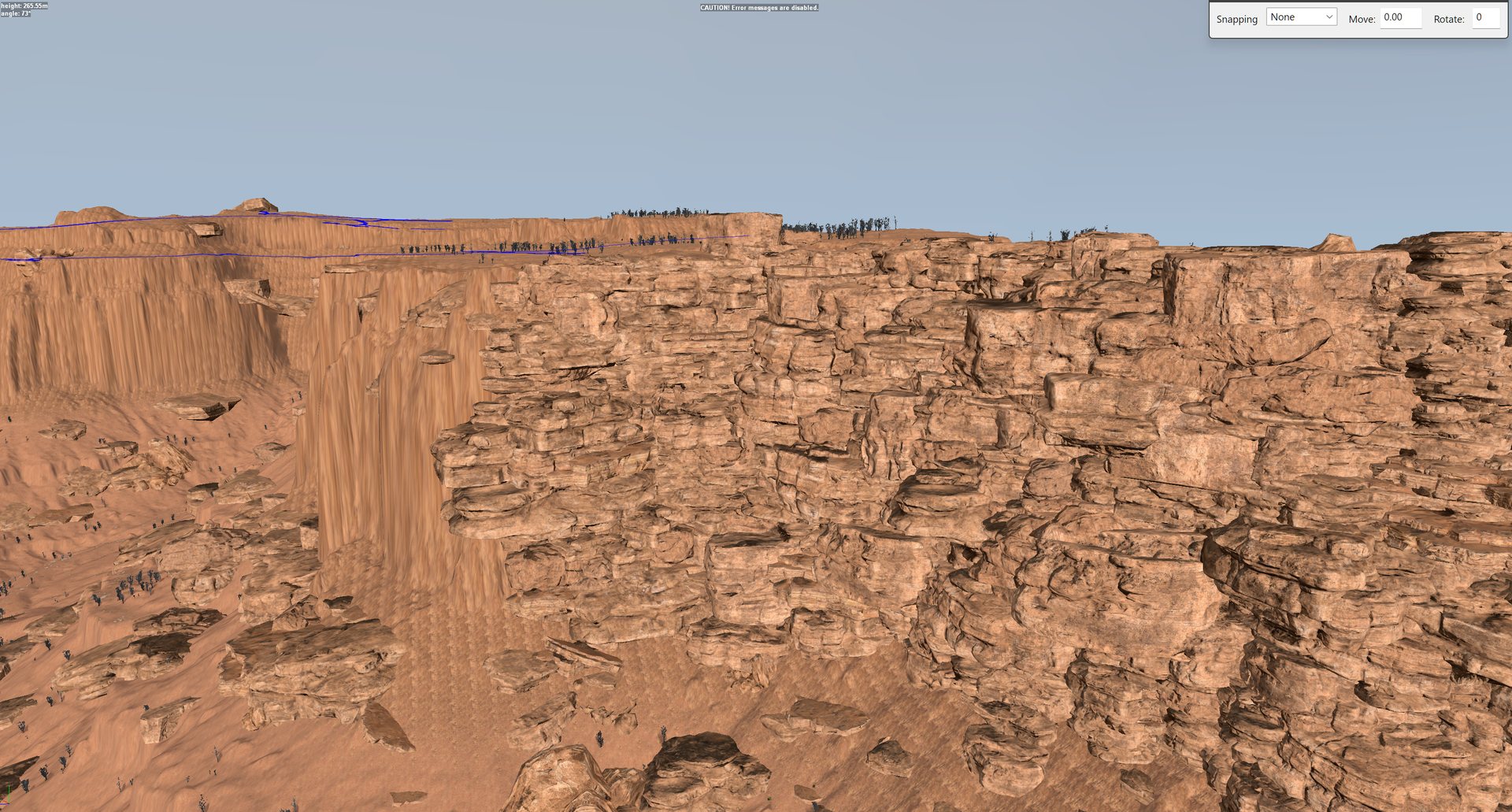
The difference faceted rock makes, on one real canyon wall. On the left, the bare terrain cliff with its texture stretched down the face; on the right, the same wall built from stacked sandstone models.
Scattering by script#
If you place rocks or debris with a script rather than a distribution, two things make the difference between natural and artificial.
Nothing in nature is evenly spaced. Rocks, debris and plants arrive in clumps with bare ground between, because whatever put them there acted at a place. Uniform random placement gives an even wash that looks machine-made however good the models are. Use clusters: a large one with a few smaller companions around it, never a lone object and never a grid.
Keep scatter off the roads. Taking the road out of a distribution’s density map does nothing for individually placed models. On one map, 269 placed objects sat in a road before the placement masks were fixed.
Models that are not really there#
Expeditions ships the class files for a lot of SnowRunner content whose meshes are
missing. A class file under classes\models\ is not proof a model is usable. The
editor accepts the placement, then logs Prebuild data for model brand 'X' not found
once per instance and stops on a dialog for each. 1,250 placements produced 3,016
dialogs.
Check new models by placing one before placing hundreds. From one test, these vanilla
models failed: icelandic_mossy_rock_06 to _12, rock_04, rock_08. These
worked: boulder_small, boulder_medium, boulder_large, rock_01 to _03,
rock_05 to _07, rock_09 to _12, icelandic_mossy_rock_01 to _05,
log_long_a, log_medium_a, log_short_a, rus_log_lying_1, campfire_stones_01,
and every wildlife model tried. Distribution brushes are a separate system and did
not fail.
Models with something extra#
Saber points out some naming patterns worth searching for. documented
| Pattern | What it is |
|---|---|
_objective |
animated models with states, used for building things. See Construction zones |
farplane |
far-distance scenery |
animal |
animal figures |
totem |
totems |
ufo |
UFO-themed objects |
Some creature models are visible only between certain distances, for example 50 to
150 m. Those ending _notshy do not vanish up close. Saber documents this for
SnowRunner’s creature list; whether every Expeditions creature behaves the same is
unverified.
Your own models#
A model from outside the game can be placed in the editor. It needs four files,
under Media\:
Media\meshes\models\<name>.fbx      the mesh, its LODs, and its collision
Media\meshes\models\<name>.xml      mesh settings: LOD distances and materials
Media\classes\models\<name>.xml     the model's class: instancing and physics
Media\textures\models\<name>_<material>__d.tga   textures
The name uses lowercase letters, digits and underscores only. In Select Asset,
search for the bare name. Custom models list with a \Media suffix, and
searching for the suffixed name finds nothing.
The rules that cost the most to learn:
- Keep the hierarchy flat. FBX already has a root node called
RootNode. The collision object (named exactlycdt) and the visual meshes (mesh,mesh_lod1and so on) must be its direct children. Adding your own root as Saber’s guide seems to ask crashed the editor three times, withno cdtin the log. - 65,534 vertices and faces per mesh, and Blender’s vertex count is not the
file’s: the exporter splits vertices at UV and normal seams, so a mesh Blender
calls 41,559 vertices reached 77,486 in the file. Prefer models that fit without
decimation; decimation is what leaves the degenerate faces behind the converter’s
IsValidIdxcrash. - Textures at most 2048, power of two. Larger ones fail, and the model renders untextured.
- The converter is a syntax check, not an acceptance test. One model passed it three times and crashed the editor three times. Only the editor is the final word.
- Delete the converted cache after a rebuild.
Media\prebuild\meshes\models_<name>is reused if it is newer than your fix, and reproduces the old failure exactly, which reads as “the fix did nothing”. - Dark triangles or a scrambled-looking texture are usually faces seen from behind. Turn the camera: a flaw that stays fixed on the model from every angle is geometry, not shading. Compare against the original file before trying texture fixes.
- Imported models arrive at any scale. One downloaded plant measured 0.05 m tall, another 8.16 m wide. Set the real height in metres when converting.
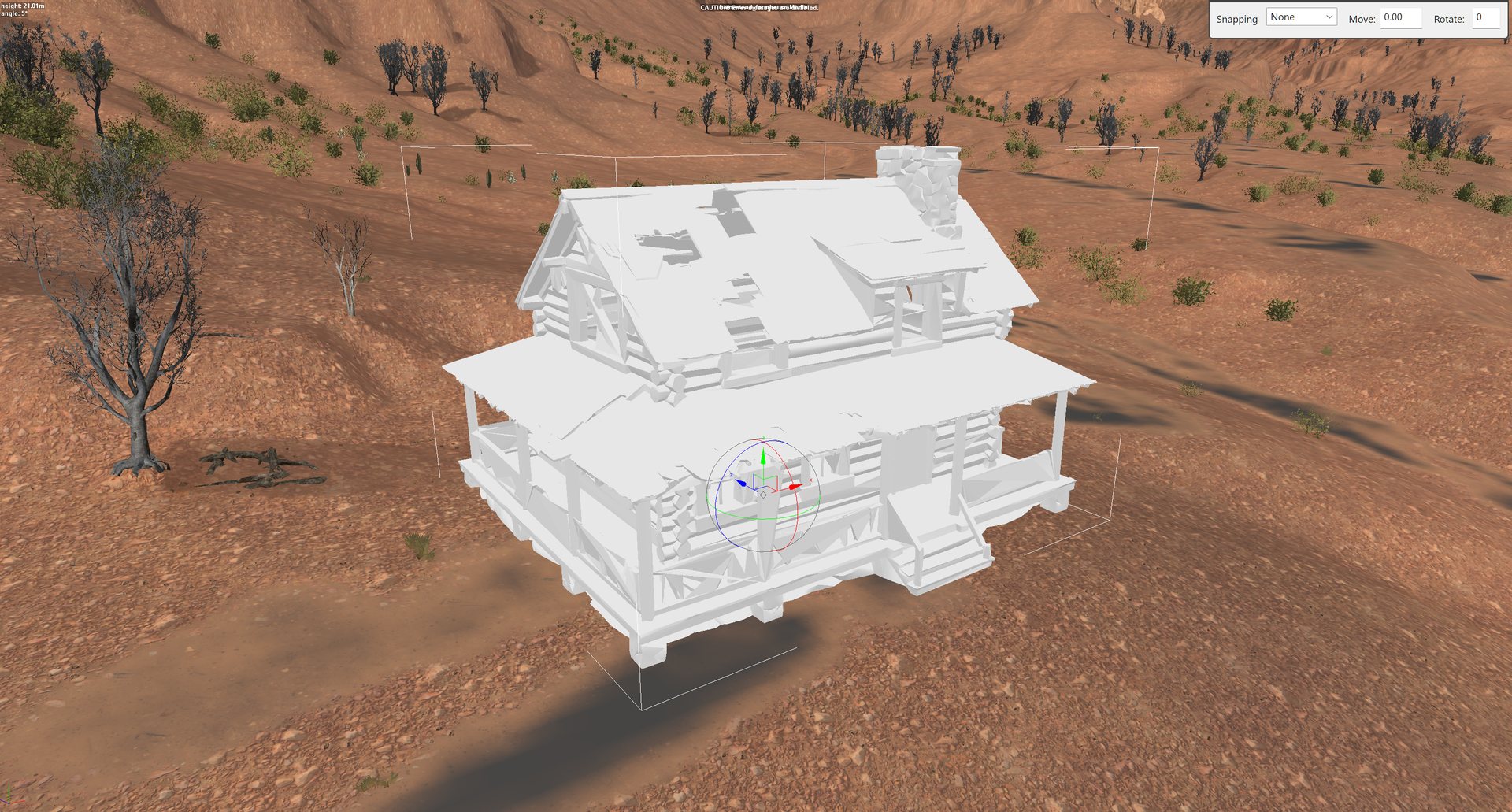
A custom model shows pure white in the editor until the editor has converted it itself. This cabin was white with every file in place. Click Rebuild terrain and it comes up textured; there is no need to close and reopen the editor.
The toolkit’s import_model.py does the conversion and these checks in one command; see
Making and importing your own models. Saber’s own instructions are in the PDF
Custom Level Entities: Models, Overlays and PbrMaterials.
Saber’s PDF was written for SnowRunner, and its Expeditions page says only that the setup is “very similar”. Two things it does not tell you:
- Don’t test with Saber’s sample model as it ships. Every name in it
(
oil_pump_01, its textures, its landmark, and the bundledlandmark__d.tga) is already a stock Expeditions resource. Packing it ships duplicates of things the game already has. Rename the model and its textures to unique names first. NeedPreload="true"is for base modules, not map models. Saber requires it on the models of custom base modules. Seven custom buildings without it loaded in a running game, so a model you only place on a map does not need it.
Custom models in a map: the step after every pack#
Without this step, any map with a custom model never loads
The map starts loading and drops straight back to the main menu. There is no error message, no crash dump and nothing in the logs. This happens even when every file is exactly as Saber’s guide describes, Saber’s own sample model included.
What goes wrong. This is a defect in the game, read out of a running game and its
code. The editor stores a custom model in the map as <name>\Media. When the map
loads, the game registers the model’s class from your map’s pak under one name and
then looks it up under another:
| name the game uses | |
|---|---|
| registers the class as | my_model_level_<map>.pak |
| looks the model up as | my_model\mod_level_<map>.pak |
The two can never match: the game treats / and \ as the same character, but
never _ and \. The lookup fails, the game logs Cant load Model Brand to a log
that retail builds throw away, and it abandons the load. Nothing in your Media files
changes either name, which is why no fix to the model itself helps.
The fix. A model name without a backslash is looked up exactly as written, the way every stock model is. So, after packing, rename each custom model in the packed map to the name the game registers:
my_model\Media -> my_model_level_<map>.pak
The toolkit does this with one command, which only renames models whose class your map’s pak actually ships:
python fix_map_model_brands.py <Level>            report what it would change
python fix_map_model_brands.py <Level> --apply    rename (close the game first)
It also reads the texture names out of each packed mesh and warns about any texture that neither your map nor the game carries, because such a model renders untextured on every machine except yours.
Packing again erases the fix. The pack rebuilds the map from the editor’s data,
so run the command after every Pack terrain. The toolkit’s after_pack.py (in map-models) runs
it for you.
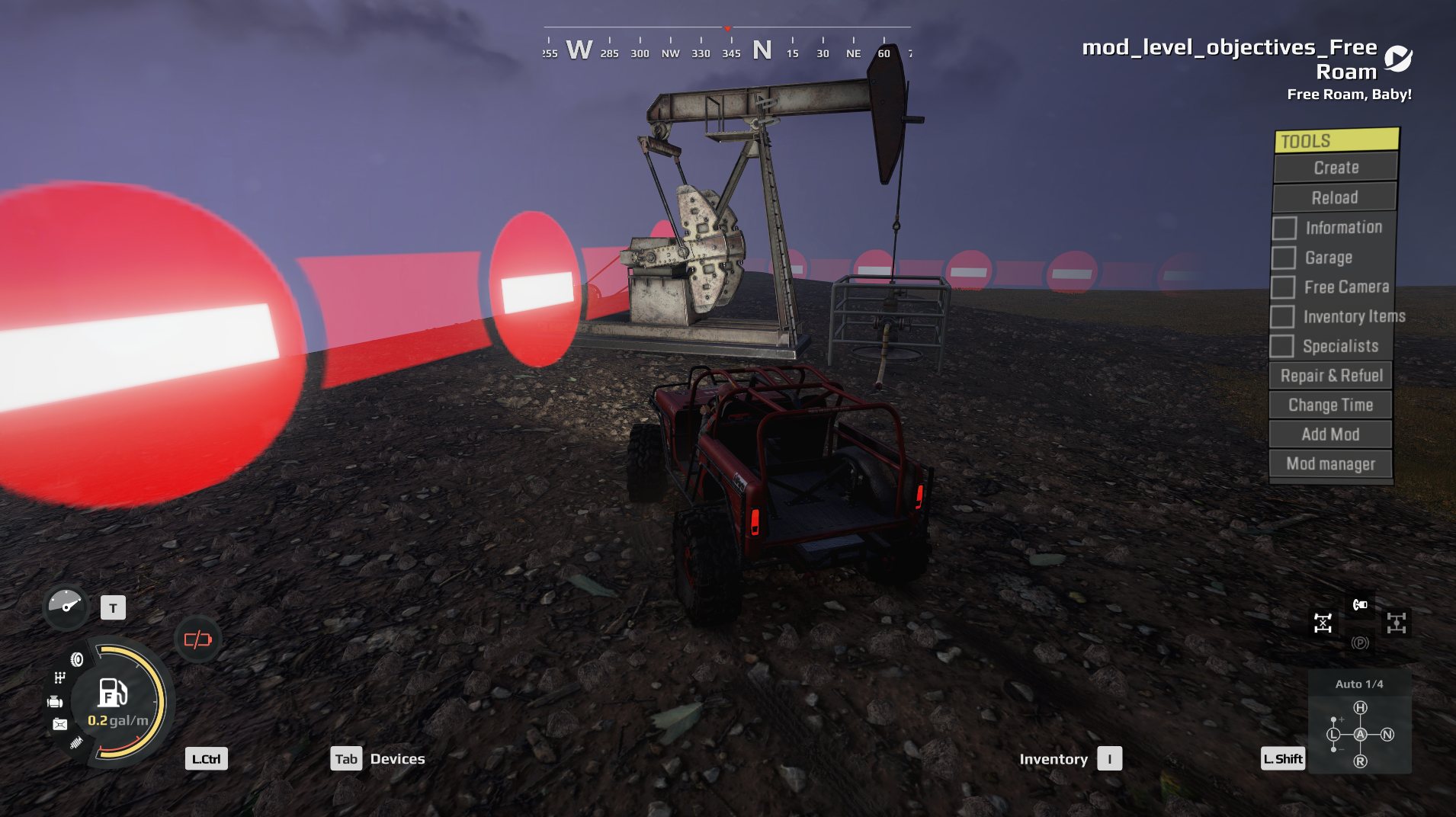
Tested: a renamed copy of Saber’s sample, and then seven custom buildings on one map, loaded and rendered fully textured in a running game, on a map installed locally. Loading the same pack before running the fix dropped back to the menu.
Saber’s sample oil pump, renamed, in a running game after the fix. Before it, this map never got past the loading screen.
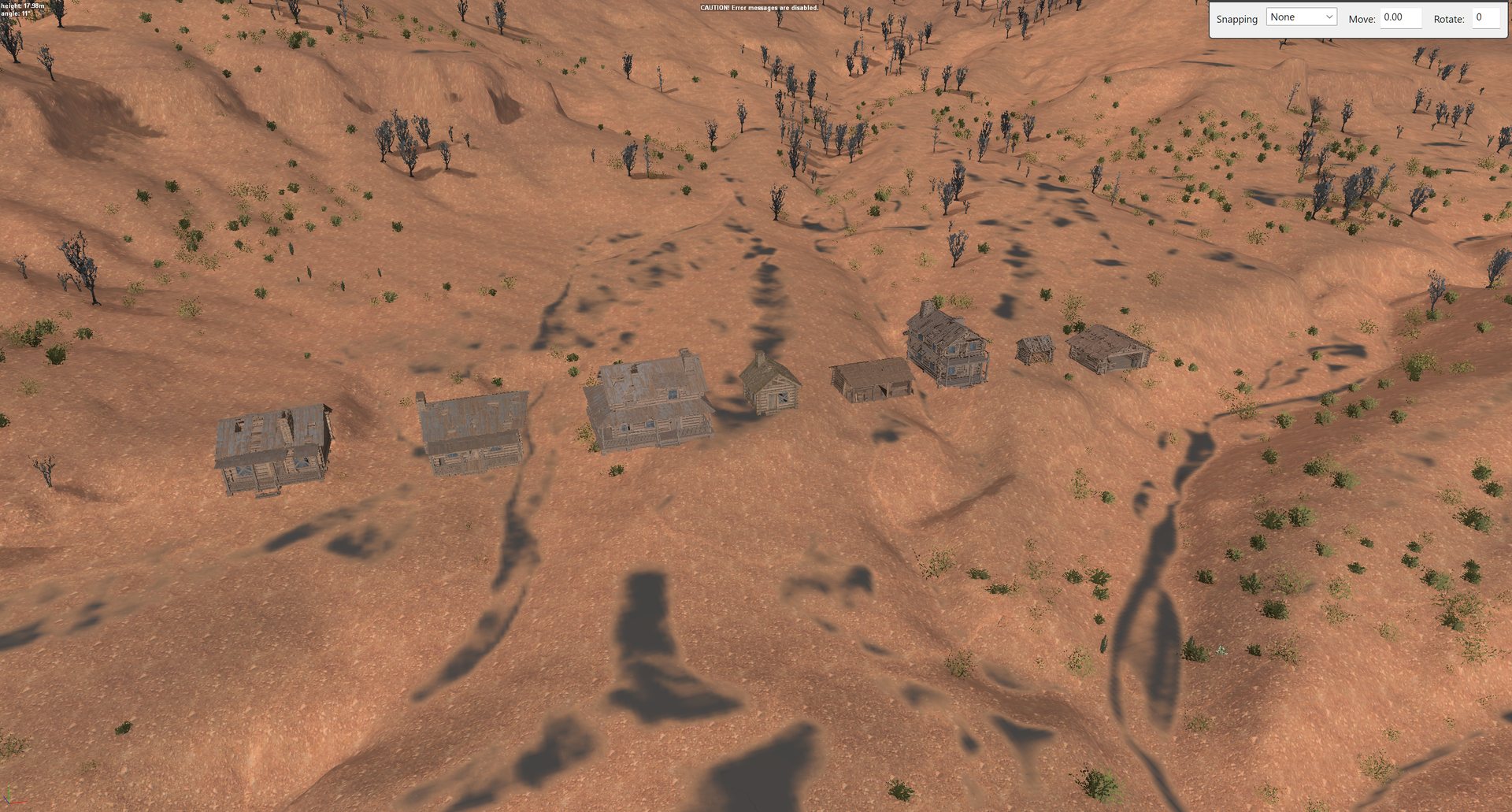
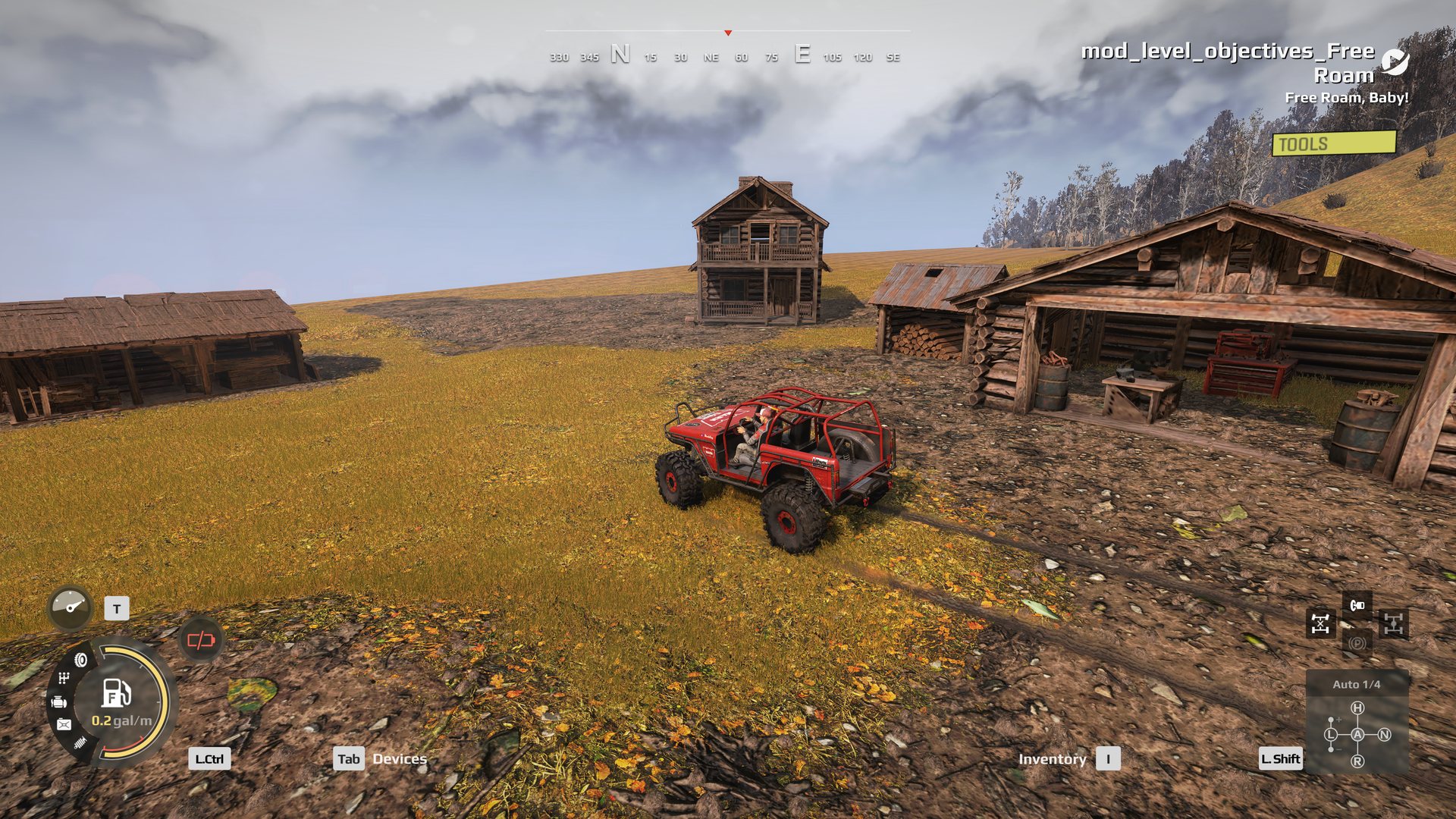
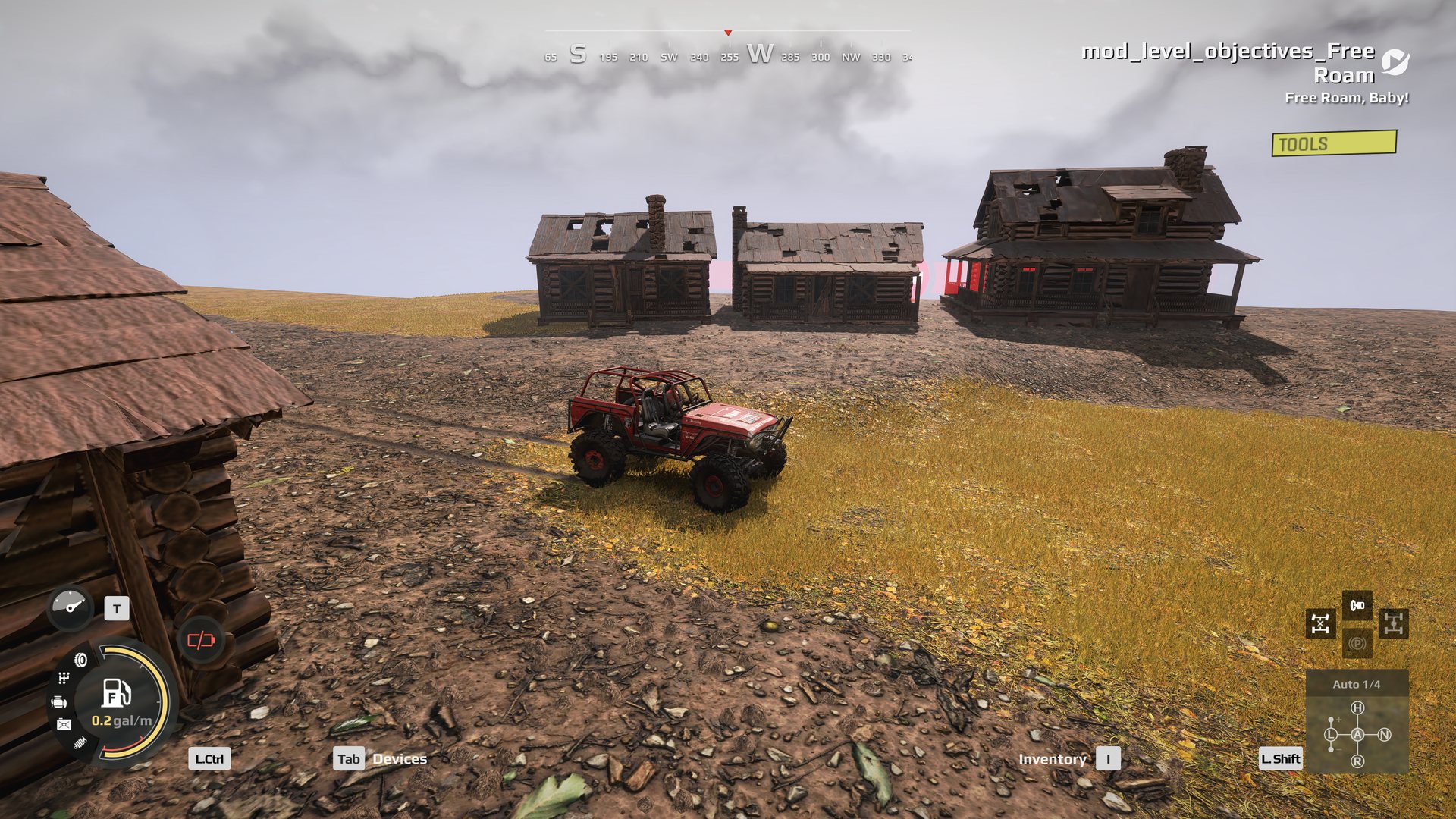
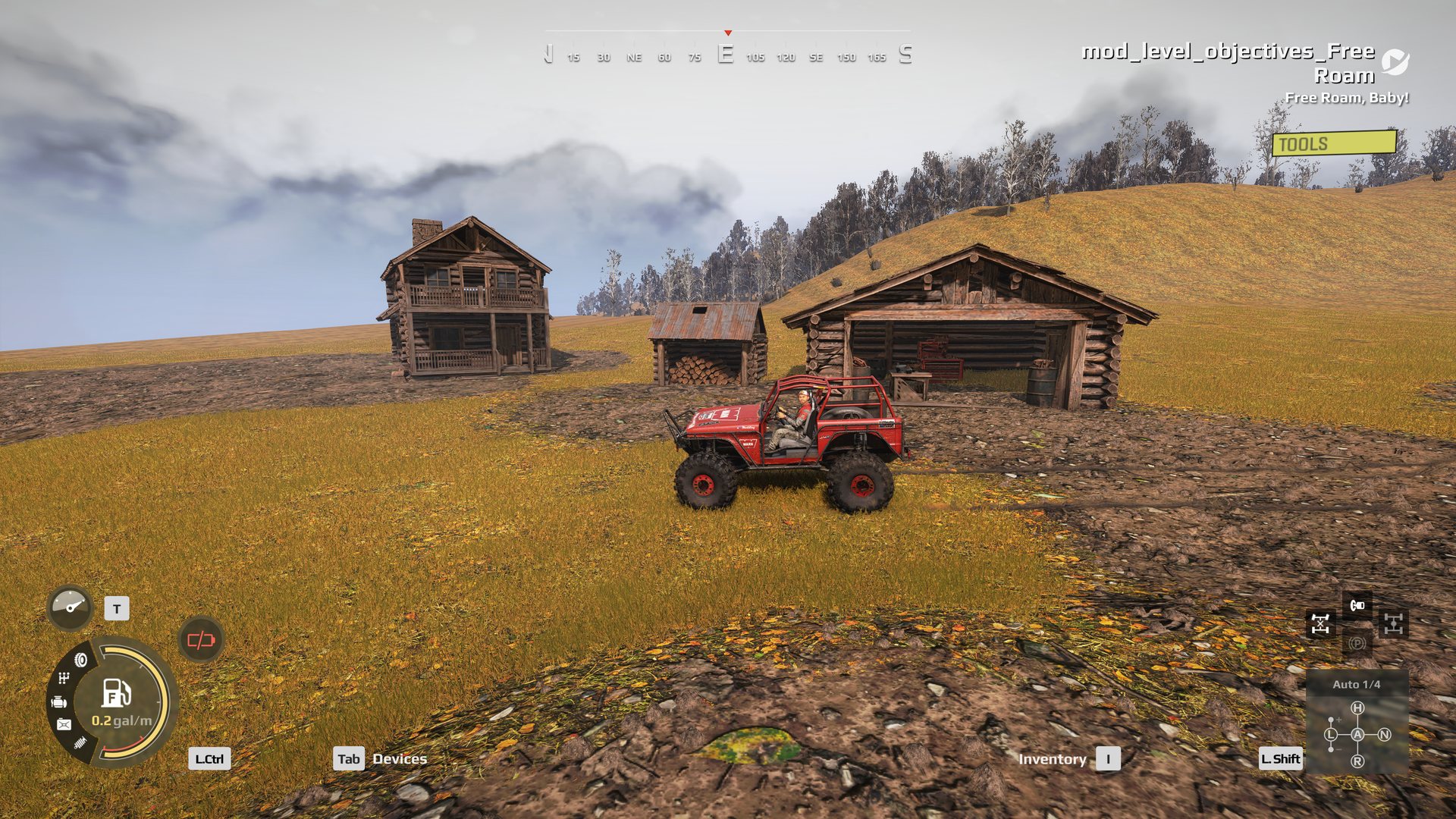
Seven custom log buildings on one map, in a running game. None of them carries
NeedPreload. Every texture loaded, from the map’s own pak.
Not yet known
- Maps installed from mod.io. Locally, the game names a map’s archive
mod_level_<map>.pak. For a map installed from mod.io it may use the numeric mod id instead, as it does for truck mods. If so, the name to rename to changes.--archive <name>sets it once it is known. unverified - The landmark. The fix leaves the landmark reference alone. Whether a custom model’s landmark then shows on the navigation map has not been checked.
Licences travel with the model
Use only CC0 or CC BY models. CC BY requires the credit to go wherever the model goes, so a map that ships one needs its credits shipped too. Avoid CC BY-SA, which would attach its terms to everything around it, and NonCommercial.
What is not known yet#
- whether a map with custom models works after being installed from mod.io
- whether a custom model’s landmark shows on the navigation map
- grouping and selection tools in the editor’s interface beyond what is above
- whether Saber’s distance-visibility rules apply to every Expeditions creature